

The wallet that checks before you send.
Dollars and crypto on nine networks, from Base and Solana to Bitcoin and Tron. Every transfer is checked for lookalike addresses and tried out before you sign. Your keys never leave your phone.
Android first, iPhone after. One email when it's ready, nothing else.
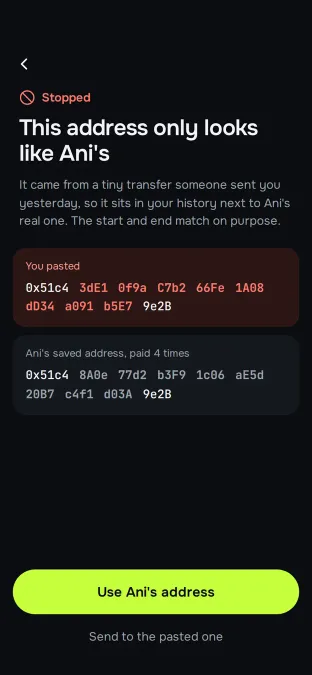
Most losses start with one wrong paste.
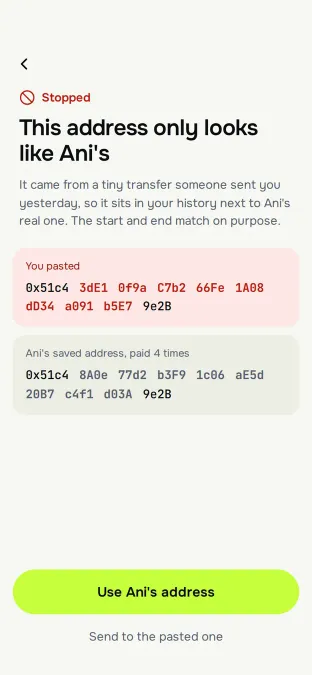
Scammers send you a tiny transfer from an address that starts and ends like your friend's. Next time you copy from history, you copy theirs. CryptoSF compares every pasted address with the people you have paid.
0x51c43dE10f9aC7b266Fe1A08dD34a091b5E79e2B 0x51c48A0e77d2b3F91c06aE5d20B7c4f1d03A9e2B Same first six and last four characters. Everything in red is different.
The transfer waits until you choose
Use Ani's saved address with one tap, or send to the pasted one after a second, plain-words warning.
Stopped before signing
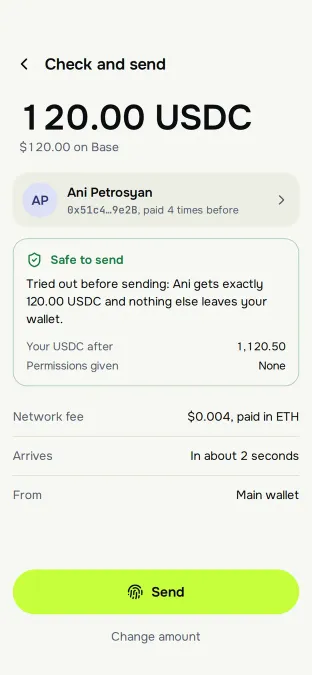
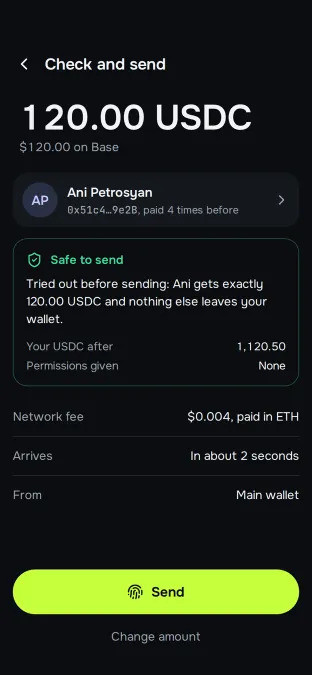
You see what leaves and what arrives
Each send is tried out on the network first. The check screen says the result in words, not a hex string.
- Ani gets 120.00 USDC
- Anything else leaves your wallet No
- Permissions given to apps None
- Network fee $0.004
Where the network allows it, the transfer carries its own on-chain check and fails instead of moving more than the preview showed. Otherwise the wallet checks the result once it lands and tells you if it differed.
Safe to send
Apps ask. You read the answer in words.
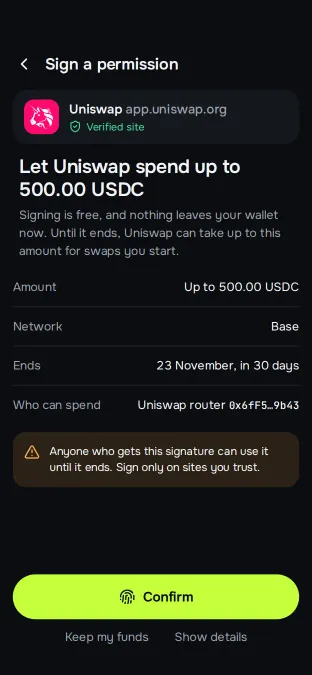
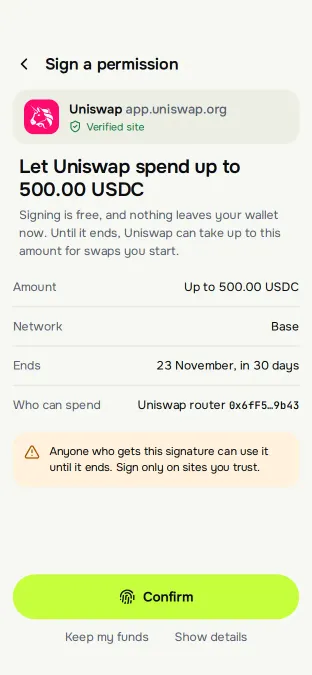
Connect to apps with WalletConnect. A request to sign or spend says who, how much and until when, in one sentence, before you confirm. The raw data stays behind “Show details”.
Spending in plain words
Let an app spend up to 500.00 USDC until 23 November. An unlimited request can be capped at what the swap needs.
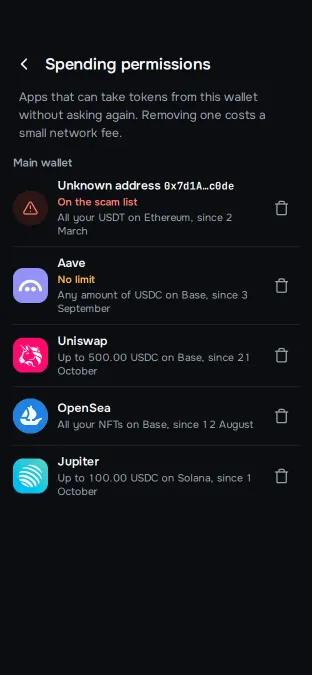
Permissions you can take back
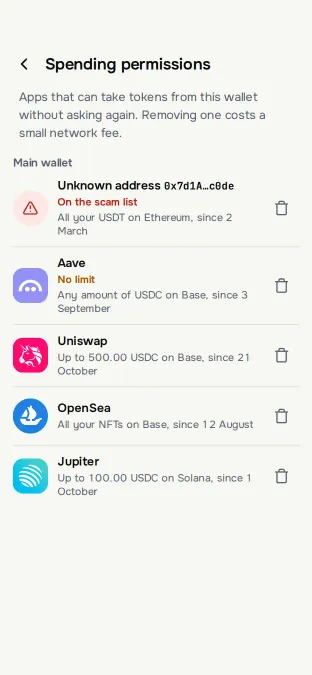
One screen lists every app that can spend your tokens, marks the ones on a scam list and removes a permission for a small network fee. On Ethereum and similar networks.
Unreadable requests stop
If the wallet cannot decode a request, it says so. Signing it anyway needs your PIN.
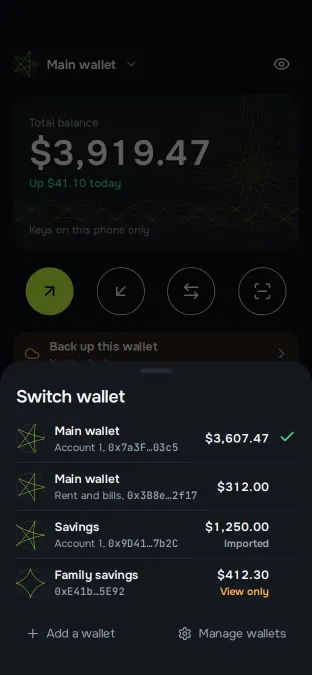
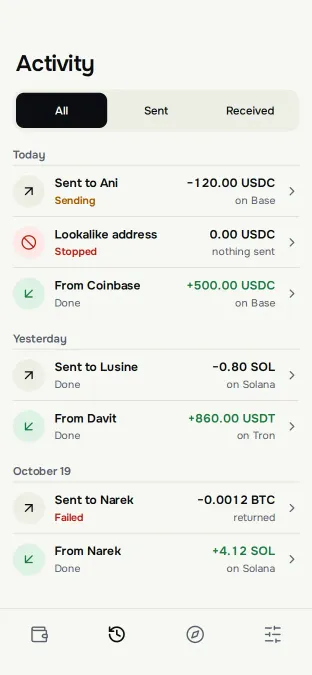
Several wallets, one place.
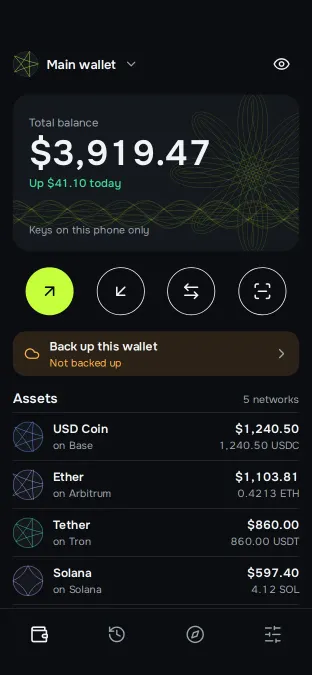
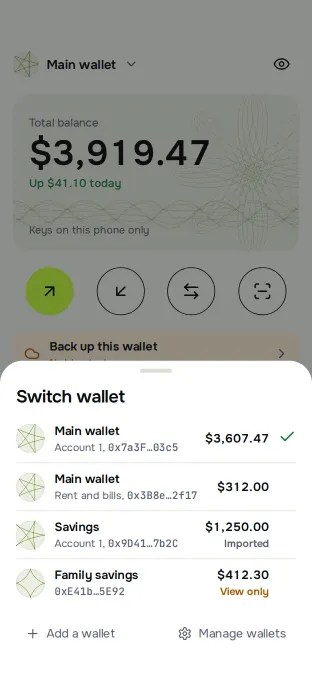
Keep a main wallet, savings and an address you only watch side by side. Switch from the top of Home. Balances and history stay on your phone.
Wallets and accounts
Create a wallet or import one from 12 or 24 words, a private key or a watch-only address. Name each account and switch in one tap.
Addresses and people
Copy your address for any network from Home. People you have paid are kept as contacts, and every pasted address is compared with them.
History on the phone
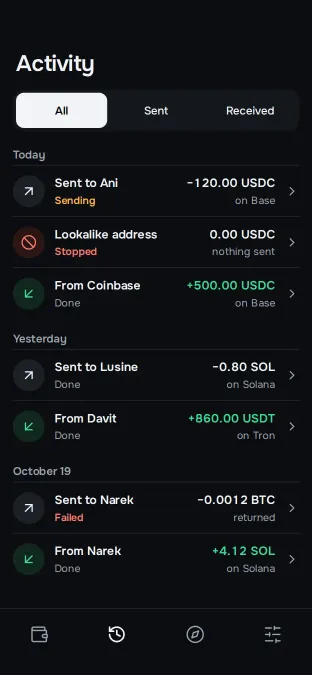
Activity is read from the networks and kept on your device. When money arrives, it shows up in Activity and as a notice.
Your tokens, your nodes
Add a token by its contract and see a risk preview first. Point a network at your own node if you prefer.

Pay the person across the table.
Scan their code or pick them from people you have paid. The check shows the network fee before you confirm.
-
 Ethereum ETH, USDC, USDT
-
 Base ETH, USDC
-
 Arbitrum ETH, USDC, USDT
-
 Optimism ETH, USDC, USDT
-
 Polygon POL, USDC, USDT
-
 BNB Chain BNB, USDC, USDT
-
 Solana SOL, USDC, USDT
-
 Bitcoin BTC
-
 Tron TRX, USDT

Works when our servers don't.
Keys-only mode keeps the wallet running without any CryptoSF server. It reads balances from the networks and sends payments to them directly.
The wallet keeps working
Your keys stay on your phone.
No account and no password on a server. If the company disappeared tomorrow, your 12 words would still open your money in any standard wallet.
Made and kept on the device
Keys are created on your phone and locked by Face ID or your PIN. The server never sees them.
Your 12 words
Write them down once and check them. They are the only way back in: anyone who has them has the money.
Outside audit planned
An outside audit of the key, backup and signing code is planned before launch.
Coming later, where licensed: buying crypto with a card, a personal IBAN and a spending card. They arrive only when a licensed partner runs them; the wallet works fully without them.
Being built: swaps and bridges, payment links and usernames, encrypted cloud backup, hardware wallets.
Be first when it opens.
One confirmation email, then one more on launch day. Unsubscribe from either.